

This section covers managed backups on SurrealDB Cloud and how to restore an instance from a snapshot. For retention policy configuration and what backups cannot do, see Backups & recovery.
Managed backups
SurrealDB Cloud takes automated volume snapshots of your instance on a schedule (paid plans). Snapshots are stored in the platform — you cannot download or extract backup files to your own storage today. Recovery is by creating a new instance from a snapshot in the console or Surrealist.
Important
Restoring from a backup
In the resources section of the instance dashboard, open the list of available backups. To restore, click Create from selected on the snapshot you want.
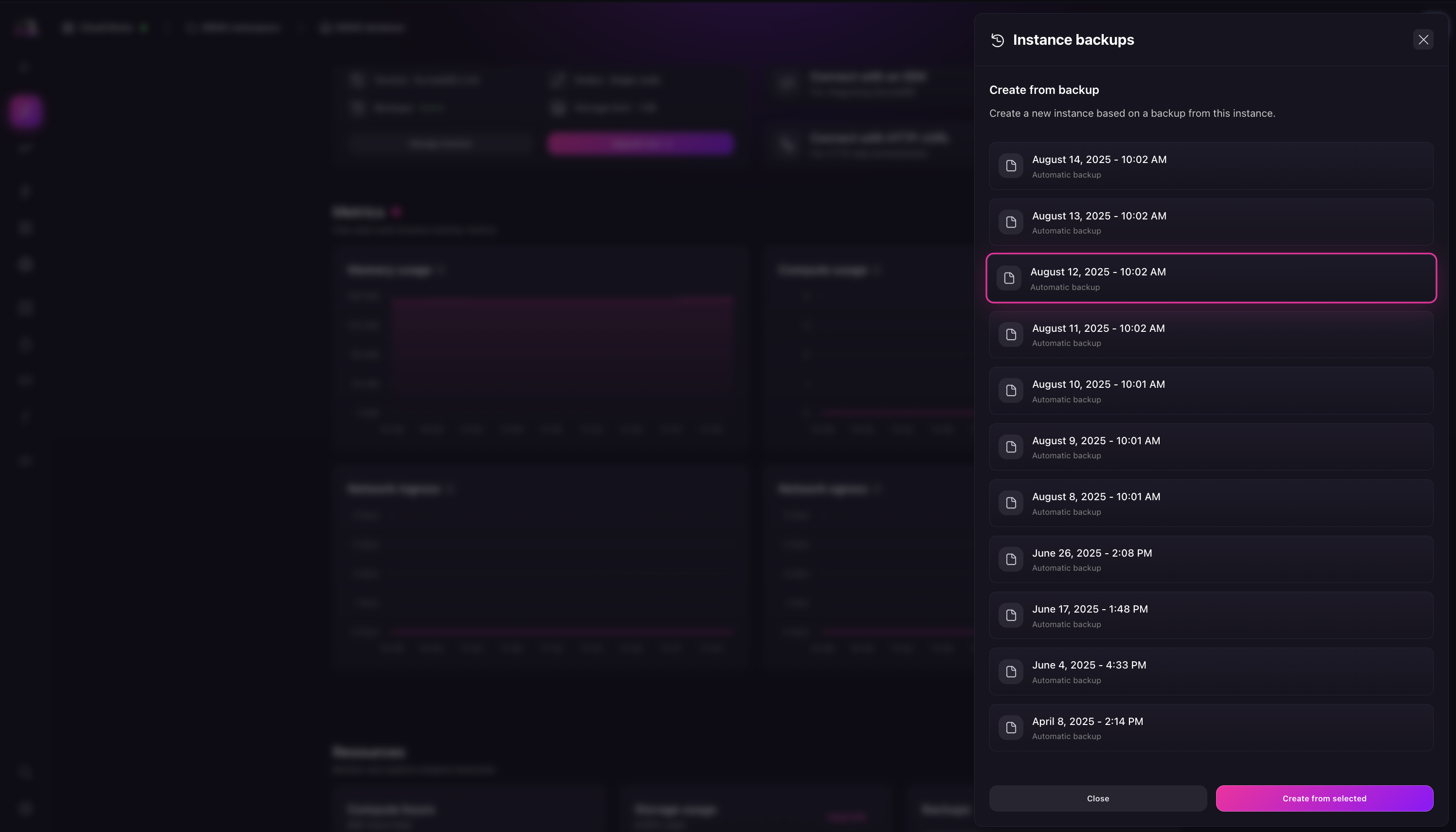
This opens the create a new instance flow with the backup pre-selected.
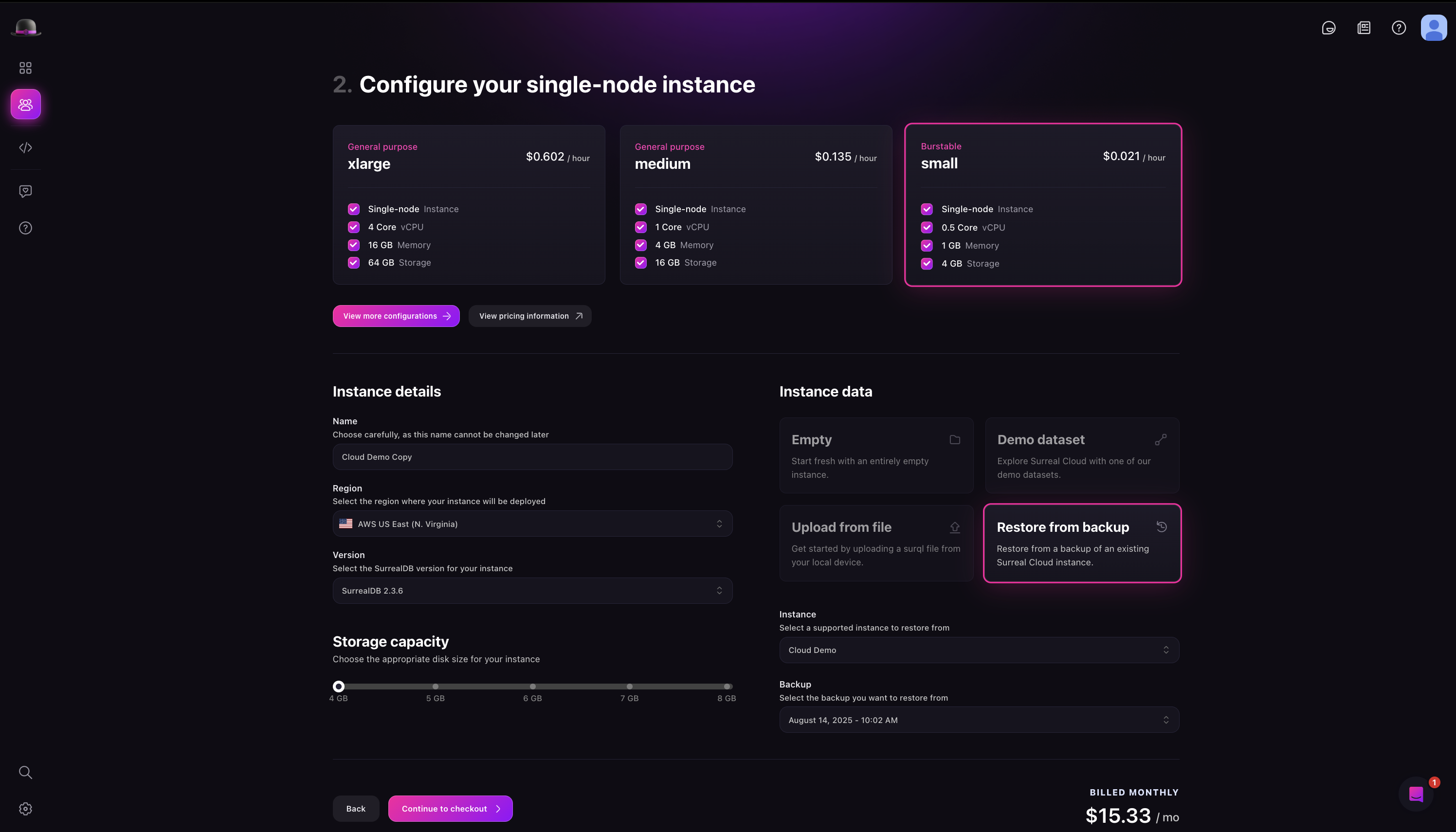
You can also pick a backup from the backup dropdown when creating a new instance.
Logical export (portable data)
If you need a portable copy of your data outside Cloud backup restore — for migration, archival, or local development — connect to the running instance and use surreal export. That is separate from managed snapshot backups. See Migrating data.
Limitations of backup restore
The source and restore instance must be in the same region
You cannot restore a backup into an existing instance (only create a new one)
The restore instance storage must be equal to or greater than the source
Backup snapshots are not downloadable as files
Next steps
Backups & recovery — retention policy and operational detail