An instance is a SurrealDB deployment that SurrealDB runs for you.
That covers provisioning, high availability, patching, backups, and version upgrades. You choose a plan, a size, and a region, then connect your application.
Every instance belongs to an organisation, which also holds members, usage, and billing. You operate instances from SurrealDB Studio, or from a terminal with surrealctl. To run and operate the server yourself, see Self-hosted.
Plans
Two plans are available. The plan you choose at deploy time fixes the topology of the instance.
| Plan | Topology | How it grows | Storage | Suited to |
|---|---|---|---|---|
| Start | A single node | Vertically, by moving to a larger instance type | A dedicated disk per instance | Development, staging, and workloads that fit on one node |
| Scale | A cluster of three nodes or more | Vertically and horizontally, by using larger nodes or more nodes | Distributed storage shared across the cluster | Production that must survive the loss of a node |
Start offers three families of instance type. Free is for trying SurrealDB out, Burstable is for low-traffic and intermittent workloads, and General purpose is for steady production traffic. Scale uses General purpose nodes.
The plan also gates some options. Configurable backup frequency is available on Scale instances only.
Current capacity ceilings and prices are on the pricing page. The plan cards in the deploy flow show what applies to your organisation. For the topology behind each plan, see Architecture.
Where instances live
The Instances section of SurrealDB Studio lists every instance in the organisation you are viewing. Each card shows the SurrealDB version and the region. Use the search box and the Version and Type filters to narrow a long list.
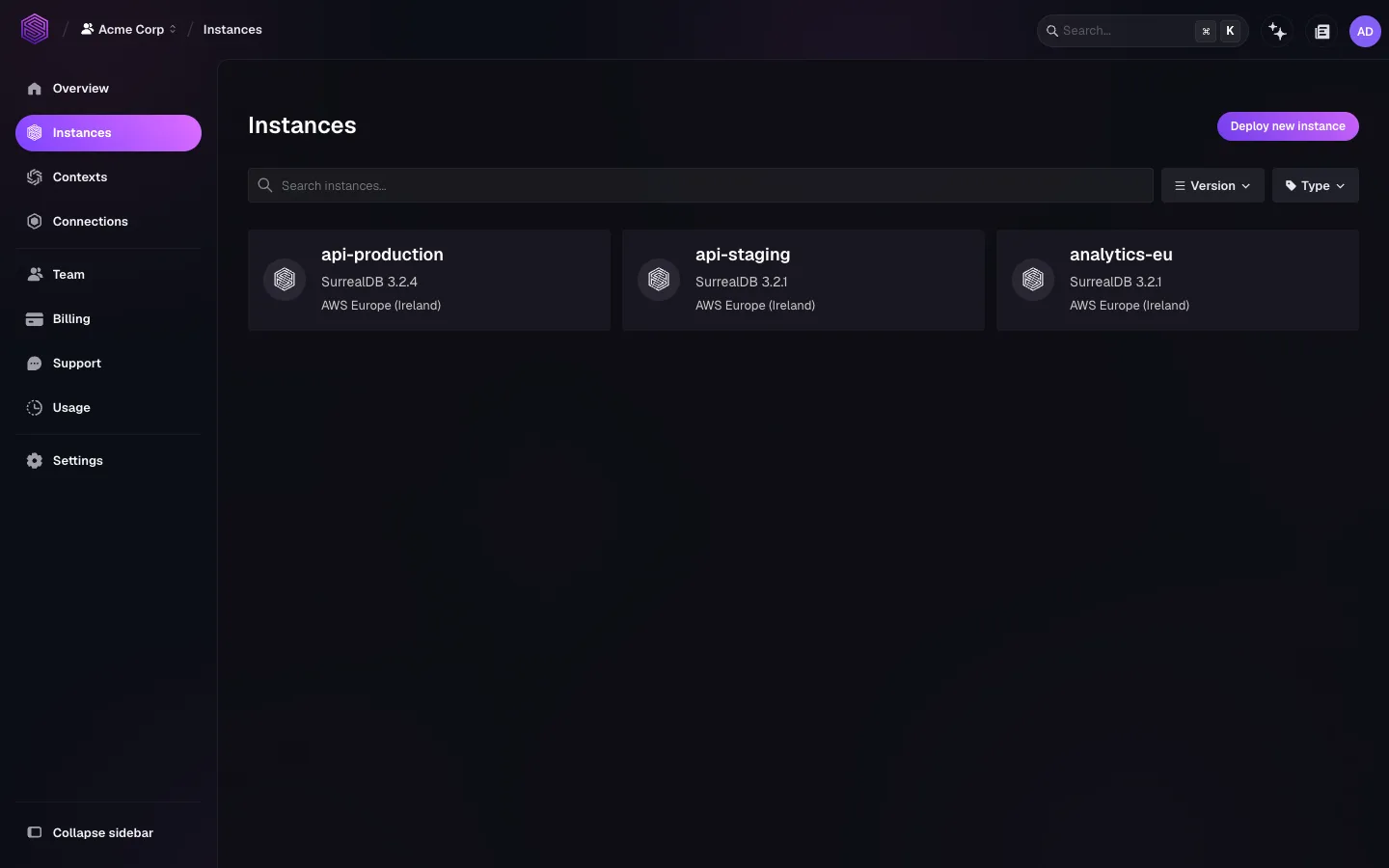
Selecting an instance opens its own workspace. That workspace holds a dashboard of resource use, the schema and query views, and Settings. Settings is where configuration, capabilities, versions, compute, and backups live.
surrealctl instance list prints the same list in a terminal, and --json makes it scriptable. See surrealctl instances.
Lifecycle
You control the lifecycle of an instance with four actions.
| Action | Effect | Where |
|---|---|---|
| Deploy | Provisions the instance on the chosen plan, type, and region | Create an instance |
| Resize | Changes the instance type or the storage capacity in place | Scaling |
| Pause | Stops compute and usage billing. Data and configuration are kept, and the instance is unreachable until you resume it | Configure an instance |
| Delete | Destroys the instance and everything stored in it, with no way to recover it | Configure an instance |
You cannot change an instance name after deployment. Pick a name a colleague will still recognise in six months, such as api-production rather than db1.
Topics
Create an instance: plan, instance type, region, version, name, and starting data.
Configure an instance: capabilities, compute, storage, pausing, and deletion.
Connect to an instance: SurrealDB Studio, the CLI, SDKs, and HTTP.
Architecture: single-node and multi-node topologies.
Scaling: matching compute and storage to the workload.
High availability: what survives a node failure on each plan.
Backups and recovery: automated snapshots, retention, and restore.
Import and export: moving data with
surreal exportandsurreal import.Versions and upgrades: changing the SurrealDB version.
Monitoring: the instance dashboard, metrics, and logs.
Network access: which outbound destinations queries may reach.
Private connectivity: AWS PrivateLink and instance access modes.
Related sections
Organisations: accounts, members, roles, usage, billing, and support.
surrealctl: the management-plane command-line tool.
Observability: the full metric, audit-log, and slow-query reference.
Self-hosted: running SurrealDB on your own infrastructure instead.